Appearance
Seer in a Nutshell
Seer facilitates development of Solana programs by enabling transaction debugging.
This document demonstrates how it works and shares implementation details.
Seer is a Drop-in Replacement
Before releasing, developers test their programs using solana-test-validator in their integration and e2e tests.
When an error occurs, debugging is limited to logs that must be declared in code beforehand, creating a loop: log → test → log.
Seer brings essential developer tooling to Solana: a debugger. When you run into an error, you don't need to rely on logs to find the cause - you can see the full call stack.
Your code doesn't need to be changed. Seer is a drop-in replacement for solana-test-validator.
How It Works in Practice
- When you're ready to test your application, run the CLI command:bash
seer run - Your application files (
.rsand.so) are loaded to Seer Backend to add execution context to the Solana Validator instance. - You're ready to run your tests, e.g.:bash
cargo test - You can see your transactions with their call stacks in the Seer Dashboard in your browser.
- Want to test a new version of your code? Return to step 1.
Example of transaction trace: 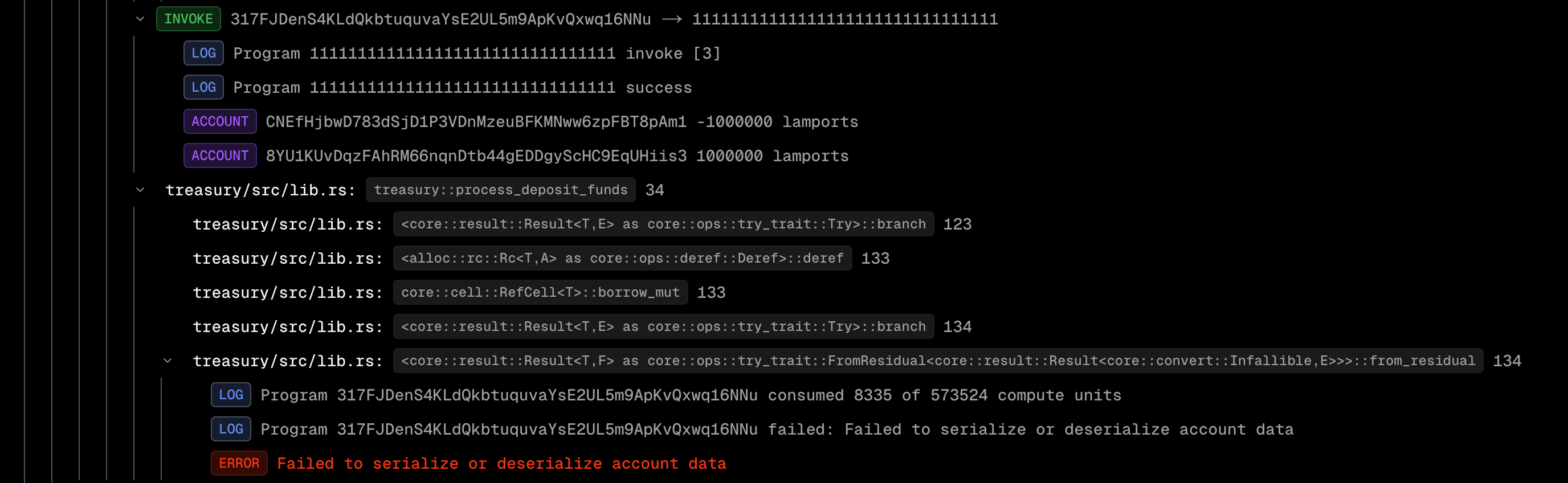
Under the Hood
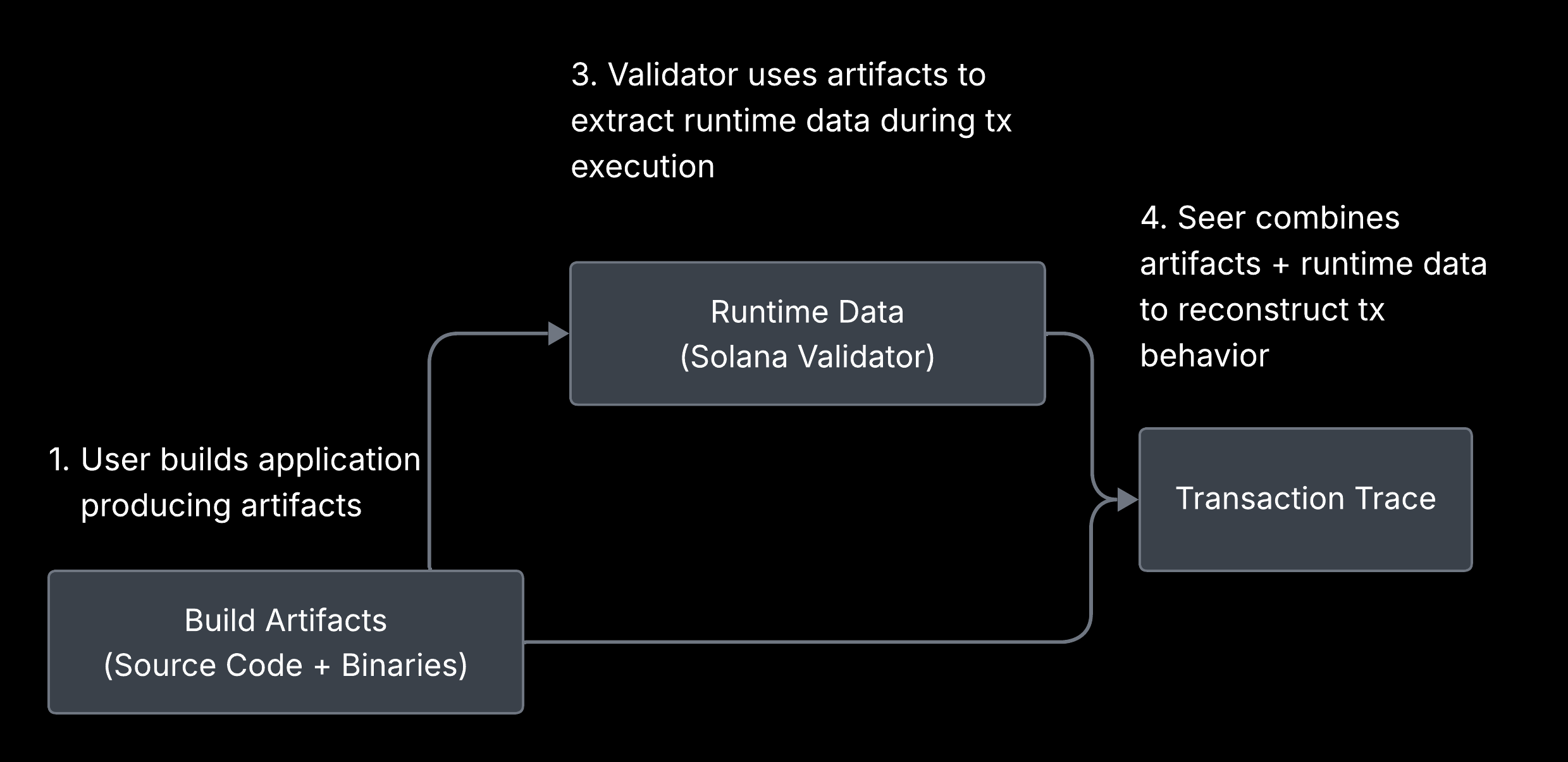
Seer builds a debug context using your application files (.rs Rust sources and .so compiled Solana programs) and starts a new Solana Validator instance with it. When the Solana Validator receives a new transaction, it uses the debug context to extract all significant steps and build the call stack.